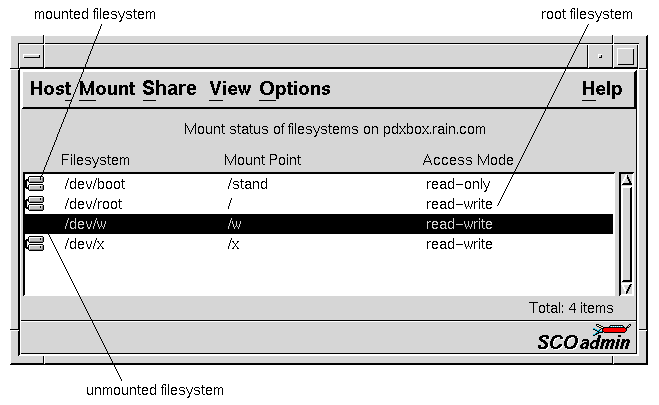
The Filesystem Manager interface
Use the Filesystem Manager to administer the filesystems
on your system.
You can start the Filesystem Manager in any of these ways:
-
Choose SCOadmin from the SCO menu (above
the SCO logo) on the CDE desktop, then select
Filesystem Manager.
-
Start the SCOadmin launcher by entering scoadmin
on the command line, then select Filesystem Manager.
-
Enter scoadmin filesystem manager on the command line
(or abbreviate to scoadmin fi).
For more information on using SCOadmin managers, see
``Administering your system with SCOadmin''.
Next topic:
Authorization
Previous topic:
Administering filesystems
© 1999 The Santa Cruz Operation, Inc. All rights reserved.
UnixWare 7 Release 7.1.1 - 5 November 1999