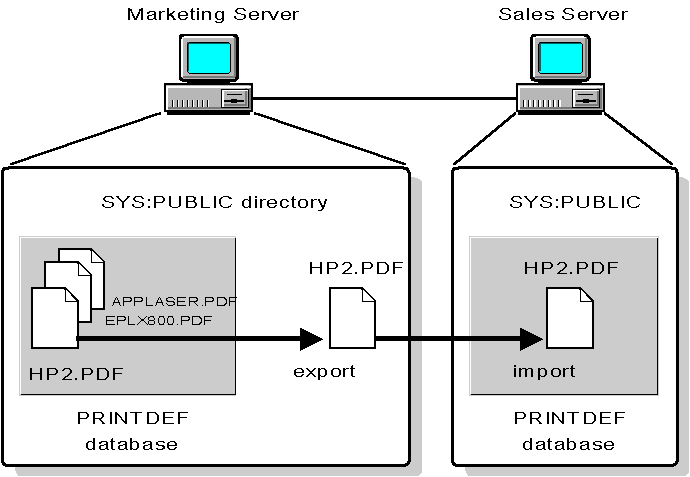
If you want to use another NetWare server's print device definition, you must import the definition from that server. First export the print device definition from the original server into a .PDF (Print Definition) file. You can then import the .PDF file to the database on your server. You can copy only one definition at a time.
You must have the Supervisor right (user Admin or equivalent) on both NetWare servers (or the Admin of the other server will need to help you).
``Importing .PDF files from another server'' illustrates the steps in copying a print device definition. This example shows how to copy a typical print device definition from NetWare server MARKETING to NetWare server SALES.
First, export the definition from the PRINTDEF database on MARKETING to the SYS:PUBLIC directory on MARKETING. Then import the definition from the SYS:PUBLIC directory on MARKETING to the PRINTDEF database on SALES.
Importing .PDF files from another server