This topic explains how RS-232-C serial communications can be used for printing.
Serial printers cabled to PCs generally use the RS-232-C interface, which was developed specifically for terminal-to-modem communications, or communication between Data Terminal Equipment (DTE) and Data Communications Equipment (DCE). Proper ``handshaking'', the exchange of signals to control the flow of data between hardware devices, allows data to flow correctly between DTE and DCE devices.
Since PCs and printer are both DTE, they must send signals as DTE. However, they must be cabled so that they receive signals as if from DCE. Because PC and printer vendors implement this serial handshaking in different ways, many problems occur when the signals are not correctly routed between them.
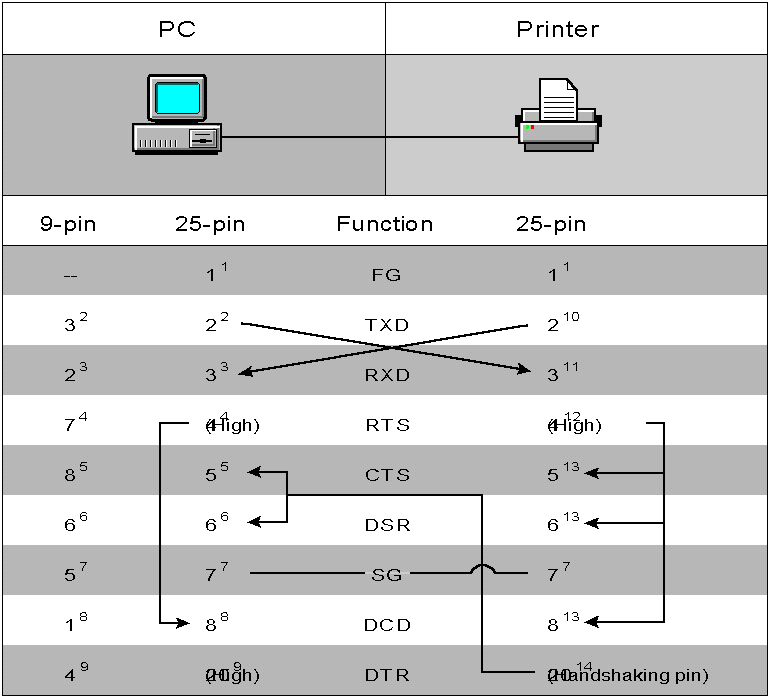
The following chart shows optimal cabling between 9 and 25-pin PC connectors and a 25-pin printer connector for NetWare print services. Each pin handles a separate functionality.
Optimal serial pin connections