


You can change or delete a filter any time after you have created it.
If the filter you want to modify was set on a local level (per host), select the source object, then the Filter Option tab to the right of the object.
If the filter you want to modify was set globally (per job), then select the Filter Options button from the ARCserveIT Menu Bar.
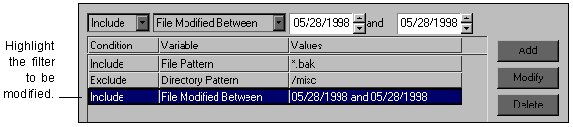
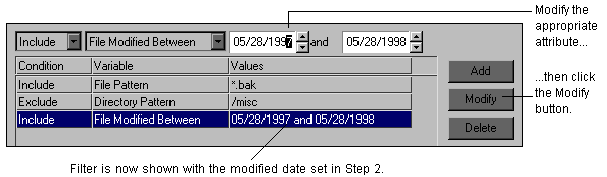
To modify a filter that has already been added to a job:
If the filter you want to delete was set on a local level (per host), select the source object, then the Filter Option tab to the right of the object.
If the filter you want to delete was set globally (per job), then select the Filter Options button from the ARCserveIT Menu Bar.
To delete a filter that has already been added to a job: