


Use the File Attributes filter to include or exclude specific types of files from a job. The File Attributes filter allows you to filter files based on whether they are hidden, system, archive, read only, or any combination of the four.
| The File Attributes filter can be applied locally (per host) and/or globally (per job). For procedural information see `Applying filters - the basic steps'. |
Follow the procedure below to filter files based on their file attributes:
2. Decide whether to include or exclude the files.
If you select Exclude, all files will be backed up or restored EXCEPT for those whose attributes match what you specify.
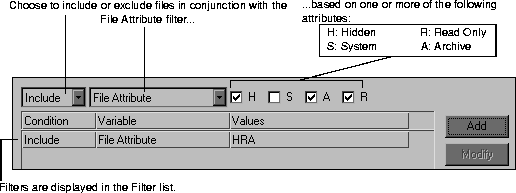
You can add as many filters to a job as per your requirements. ARCserveIT will only back up or restore the files that match the requirements that you specify.
If you are applying the filter locally (per host), it will be applied when the job is run. If you are applying the filter globally (per host), proceed to Step 5.

