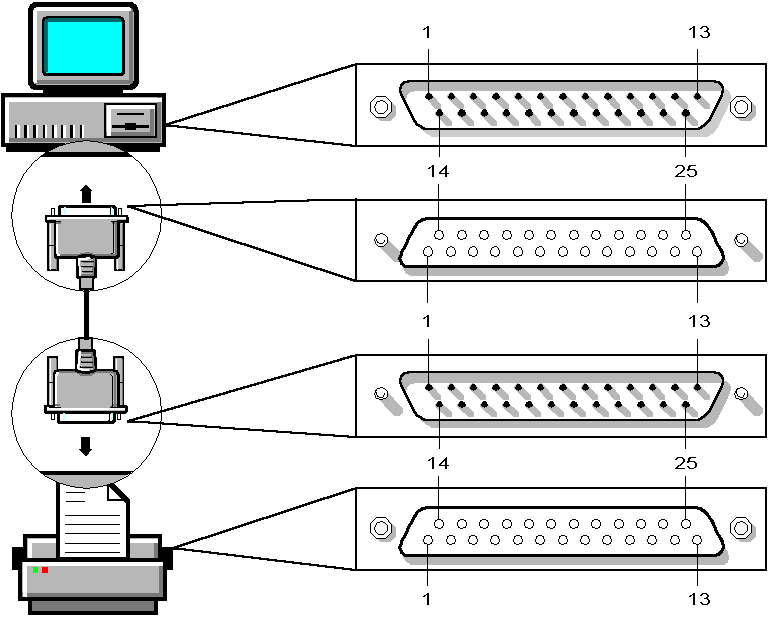
PCs generally have either a male 9-pin or 25-pin serial port. Serial printers generally have a female 25-pin serial port.
Three different cabling scenarios connect most PCs and serial printers. ``Serial cable with two 25-pin connectors'', ``Serial cable with 9-pin and 25-pin connectors'', and ``Serial cable with two 25-pin connectors and a 9-pin to 25-pin converter'' cover each scenario.
Cabling serial printers
| If you have these types of connectors | Do this |
|---|---|
| Male 25-pin serial port on PC; female and male 25-pin connectors on cable | See ``Serial cable with two 25-pin connectors''. |
| Male 9-pin serial port on PC; female 9-pin and male 25-pin connectors on cable | See ``Serial cable with 9-pin and 25-pin connectors''. |
| Male 9-pin serial port on PC; female 9-pin and 25-pin connectors on a converter; female and male 25-pin connectors on cable | See ``Serial cable with two 25-pin connectors and a 9-pin to 25-pin converter''. |
You need to buy a 25-pin to 9-pin adaptor if you have a 9-pin port on your PC. Printers generally have 25-pin male ports.
NetWare serial printing parameters default to the most common settings: polled interrupt, no XON/XOFF, no parity, 9600 baud rate, 8 data bits, and 1 stop bit. These settings function with most serial printers.
When XON/XOFF is enabled, the software controls the flow of data between the PC and the printer. When XON/XOFF is disabled, the hardware controls the data flow.
Serial cable with two 25-pin connectors
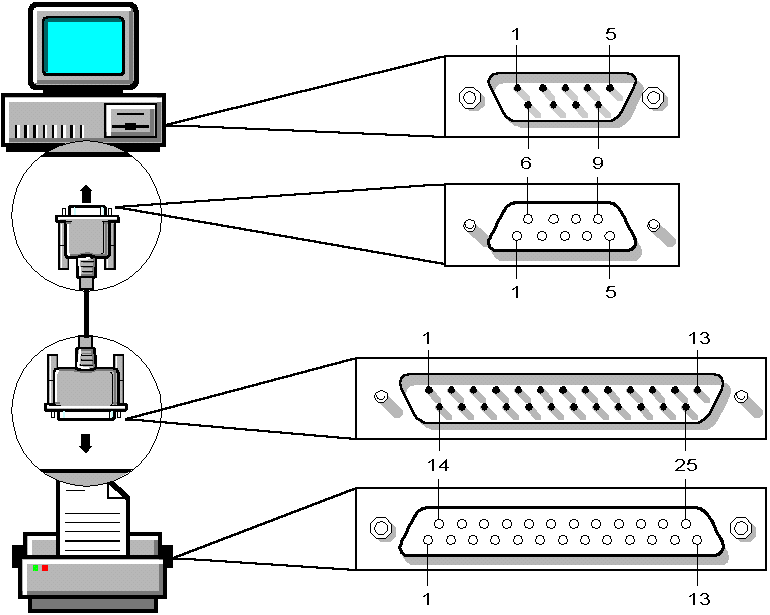
Serial cable with 9-pin and 25-pin connectors
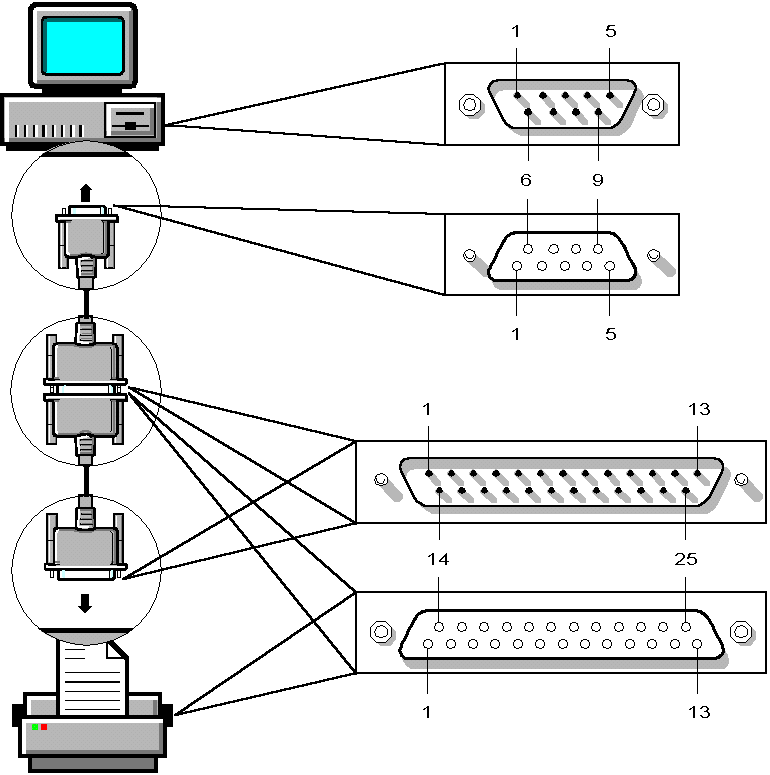
Serial cable with two 25-pin connectors and a 9-pin to 25-pin converter