


In addition to the backup options (which affect the sources you have selected), you can apply options to the destination (or media) you have selected when using the Custom backup scheme.
To apply options to your backup job:
1. Select the Method/Schedule tab from the Backup Manager window.
The Backup job schedule type "Custom" is selected by default.
2. Select the Media Rules tab (if not already selected).
The Media Rules options are displayed: 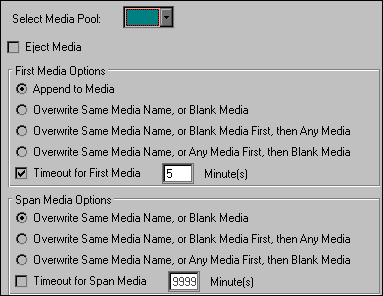
3. Select the media pool that corresponds to the media selected in destination browser (If applicable).
If you have selected media that is not associated with a particular media pool, this step can be ignored. Otherwise, you must select the destination media's corresponding media pool name in the Select Media Pool field. See `Media Rules Tab' for more information.
4. Specify the First Media Options (and Span Media Options) for the backup job.