


Use the "Restore by Backup Media" in the event that the ARCserveIT databases are not available or the media's history has not been merged into the ARCserveIT database.
2. Select "Restore by Backup Media" from the Restore Source View drop-down menu.
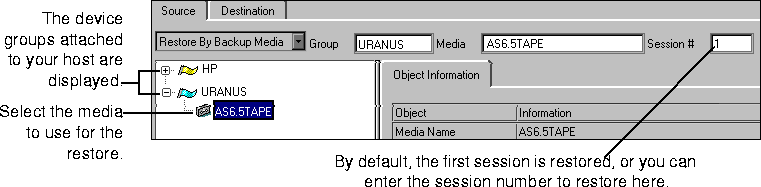
4. Specify the session number to restore in the Session # field.
| In order to get a better understanding of what files actually reside on a given media, it is suggested that you utilize ARCserveIT's Scan utility. The Scan Utility will inform you as to the sessions on the media and their contents. See `The Scan utility' for more information. |
After you have selected what you want to restore, you can continue by selecting your destination, adding options, and running the job.
|
As stated previously, you can also utilize filters to include or exclude files you might want to restore. |

