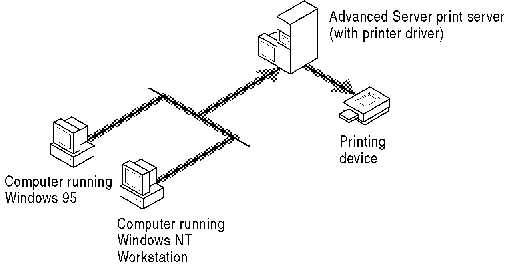
Advanced Server supports true remote printing. When Windows NT and Windows 95 clients connect to a correctly configured Advanced Server, the printer driver automatically is installed on the client computer.
If you install a newer or different printer driver on an Advanced Server or a Windows NT or Windows 95 client computer, you must update the printer driver manually to have the new version copied on to your computer. Simply remove and then add the printer to download the printer driver automatically.
Non-Windows NT clients (such as MS-DOS and earlier versions of Windows) can access Advanced Server printers by redirecting their printers (output ports) to the appropriate \\server\sharename. However, unlike computers running Windows NT and Windows 95, users at these types of client computers must install their printer drivers manually when they connect to the server.
Fonts and forms available on Advanced Servers are not accessible by non-Windows NT client computers.
Because every network user has occasion to print, you should ensure that network print operations are efficient and cost-effective.
This section discusses the following topics: