


Once you have selected your source and destination for your backup job, you are ready to schedule the job.
Follow the steps below to run the backup job:
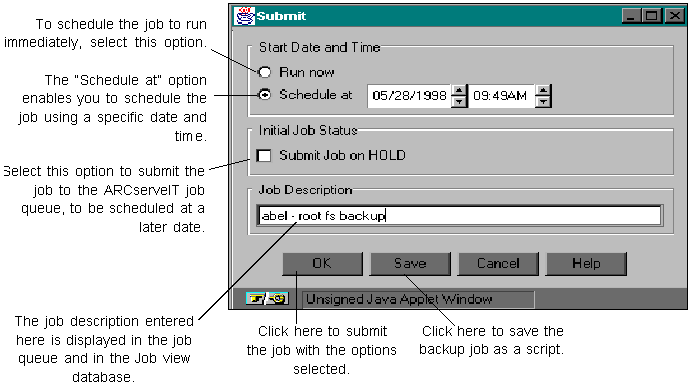
To save the backup job as a script, select Save. Doing so will evoke the Save As dialog box. Enter a script name to identify the backup job. See `Saving, opening and modifying job scripts' for more information.
For information on setting up a custom repeating job, see `Scheduling Custom (repeating) backups'.
If you are not sure of the exact time you would like to run the backup job, ARCserveIT allows you to submit jobs on hold. You can submit jobs on hold only if you select the "Schedule at" option.
The custom backup also allows you to set a job to automatically run at regular intervals. If the job is one that you want to perform regularly, it is easier to have ARCserveIT automatically reschedule the job to run, rather than you having to submit the job everyday.
See `Scheduling Custom (repeating) backups' for more information.
 from the Backup Manager's Menu Button Bar.