Backing up files - the basic steps

Following are the basic steps for submitting a backup job - that is, using Custom, and the default backup options to back up your data.

Basic steps for submitting a backup job

Follow these directions to back up your files:

1. From the ARCserveIT server's home page, select Backup.

2. Select an object or expand it's directory tree to select file systems, individual directories and/or files.

The Client Agent for UNIX is required in order to browse or perform any operations on any target host (including local hosts).

3. Select Source options per each highlighted source.

4. Select the Destination tab, then select the device and the media for the backup from the destination area.


5. Apply Global options to the backup job.

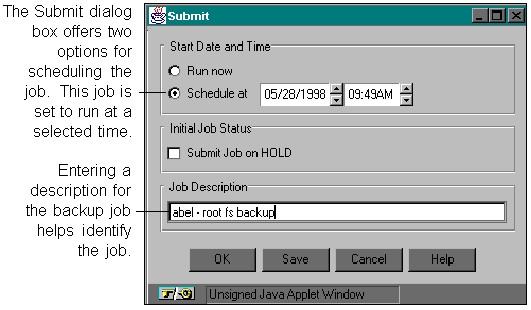
6. Select the Submit button to run the job.

7. Enter a description for the backup job and click OK to run the job.


For information on how to navigate and select objects from the directory tree, refer to Chapter 2, "Selecting servers, files and directories".