


Use a Directory Pattern filter to include or exclude specific directories from a job. All files under the directory that you specify will be included or excluded, depending on your choice. For example, setting a filter to include the /user directory will include all of the files in the /user directory with your job.
As with the File Pattern filter, you can enter an entire directory name, or provide a pattern that the directory name follows. If you enter use*, directories starting with the letters use will be included with your job (user, users, userdoc, etc.).
| The Directory Pattern filter can be applied locally (per host) and/or globally (per job). For procedural information see `Applying filters - the basic steps'. |
Follow the quick steps below to filter files based on the directory in which they are stored:
2. Decide whether to include or exclude the directories.
If you select Exclude, all files will be backed up or restored EXCEPT for those under the directory name or pattern you specify.
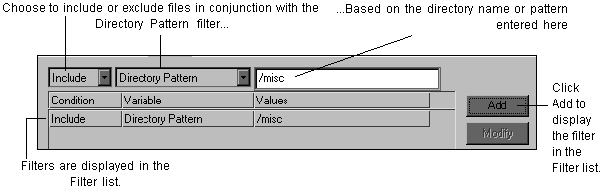
You can add as many filters to a job as per your requirements.
If you are applying the filter locally (per host), it will be applied when the job is run. If you are applying the filter globally (per host), proceed to Step 5.
Pattern |
What it means |
Example |
|---|---|---|
/PATH/DIR_NAME | This is an absolute path to the directory to filter. | /usr/pete |
DIR_NAME | The directory to filter may be in any other directory. | pete |
