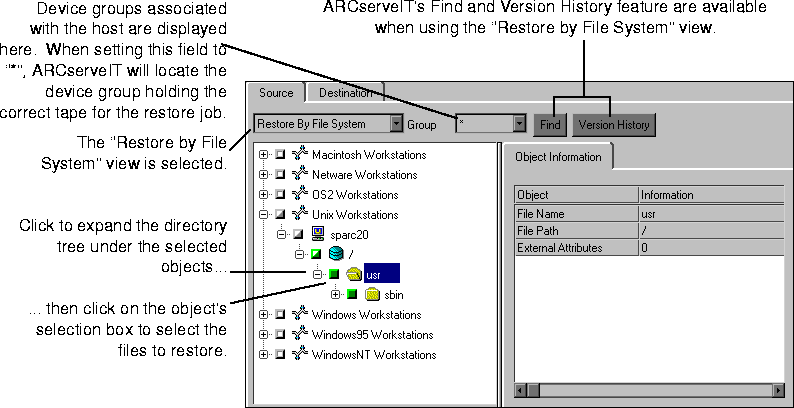
"Restore by File System" is the default view for the ARCserveIT Restore Manager. Using this method shows you a graphical directory tree of the selected host's clients. Files and directories that have been backed up are all displayed graphically, allowing you to select what you want to restore. After you specify the files and directories, ARCserveIT lists the media you will need for the job.
2. Select "Restore by File System" from the Restore Source View drop-down menu.
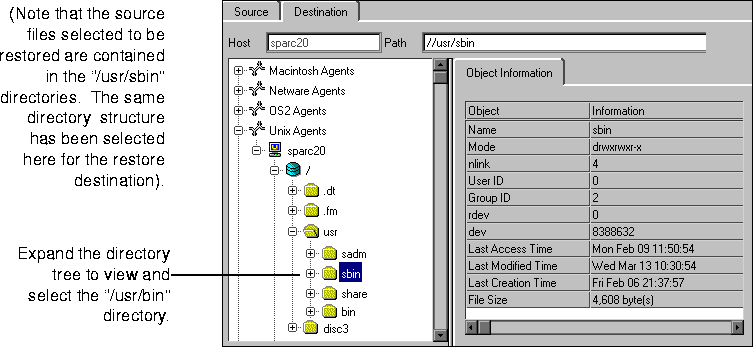
4. Select the Destination tab, then specify the destination (where you want the files to go).