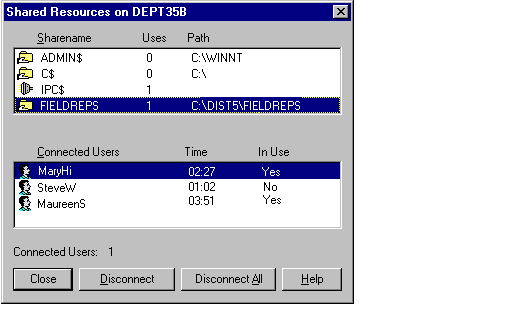

Use the Shared Resources dialog box to view the shared resources available on the selected computer (view the properties for the computer, and click on Shares). You can see users who are connected over the network to a selected resource, and you can disconnect one or all users.
Note
While you are administering another computer remotely, your user account is listed as a connected user for the IPC$ share. It cannot be disconnected.
When you disconnect a selected user from shared resources or disconnect all users from shared resources, each user is disconnected from all shared resources on the computer, not just the resource shown in the Sharename list.
Caution
To prevent data loss, always warn users before disconnecting them. See Sending a Message to Users.
For more information about viewing shared resources, see "Viewing Shared Resources" in Server Manager Help.


